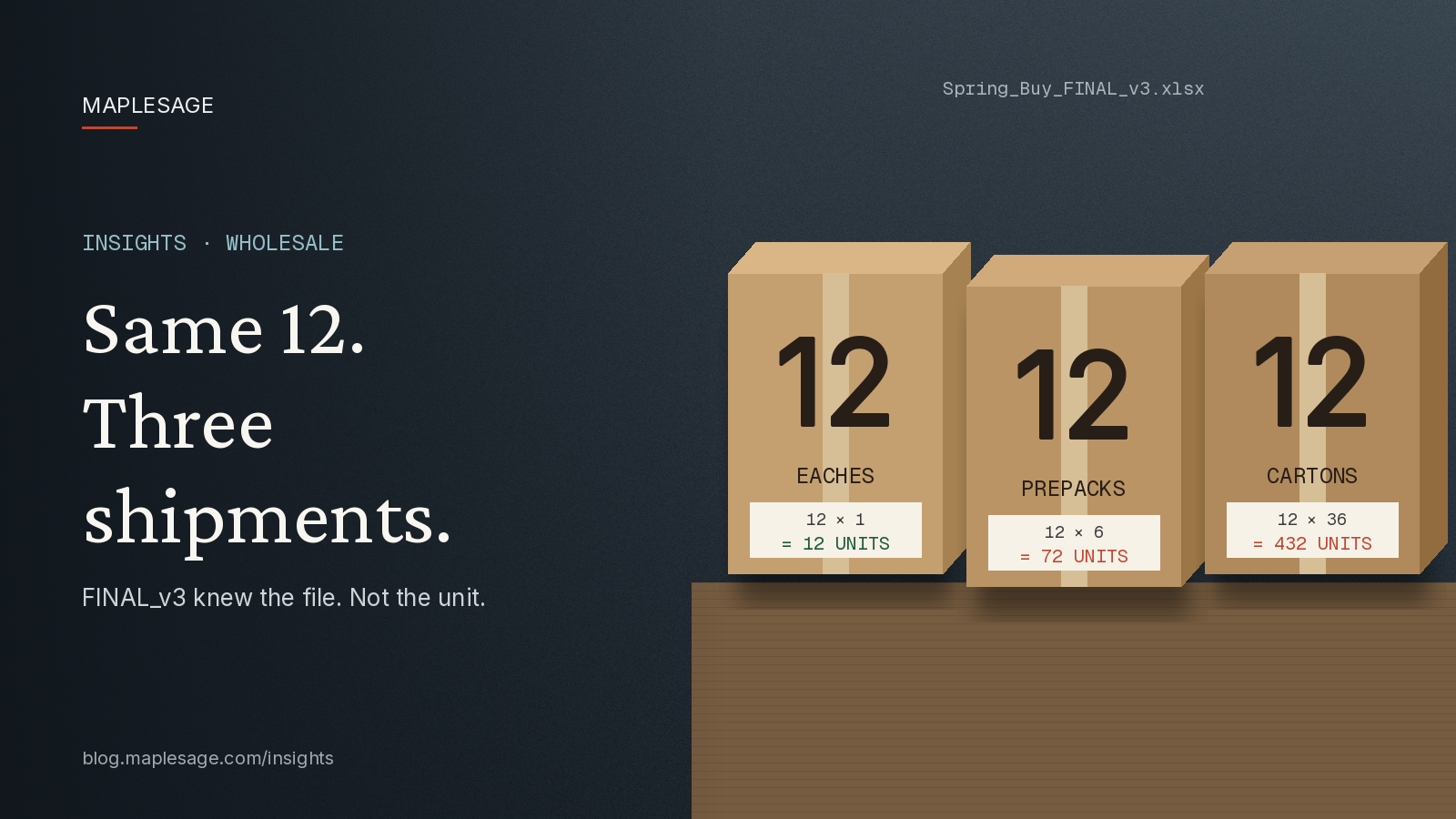
Same number on three cartons. Three very different shipments.
The file is called Spring_Buy_FINAL_v3.xlsx. Everyone agrees it is the right one. The buyer typed 12 against a knit cardigan for each of 20 doors. The PO went out for 240.
The buyer meant 12 prepacks of 6. They expected 1,440 units. The warehouse picked 240 eaches. Nobody used an old file. The version was right. The unit was wrong.
Version control does not fix units
Day 19 was about naming files instead of keeping revisions. This is the problem that survives even when the revision is right: the number is correct, the unit is not.
- The unit lives in a header. “Qty (packs)” at the top of column H. Paste a block from another sheet and the header no longer matches the rows.
- Styles mix pack types. Basics ship in prepacks, fashion styles in eaches, accessories in inner cartons. One column holds all three.
- The buyer’s system has its own unit. Their open-to-buy works in units. Your sheet works in packs. Somebody converts by hand.
- Prepack contents change. A 2-4-4-2 size ratio becomes 1-2-2-1 mid-season. The pack name stays the same.
What the wrong unit costs
Short shipments the buyer reads as a fill-rate failure. Over-shipments that come back as returns or chargebacks. Size curves that break because a prepack ratio changed under the same pack code. And a rep who spends the first week of the season reconciling a PO that matched the file exactly.
Units on the line, defined
For every line, the quantity carries its own meaning:
1. Order unit. Each, prepack or carton, stored on the line, not the column.
2. Pack contents. The size ratio and units per pack, frozen at the moment the buyer confirms.
3. Converted units. Total eaches, calculated, shown next to what the buyer typed.
4. Buyer’s unit. The unit their system expects, so the PO speaks their language too.
Three rules for quantities that survive
1. No naked numbers. A quantity without a unit cannot be confirmed. “12” is incomplete. “12 prepacks × 6 = 72 units” is a commitment.
2. Show the conversion before the confirm. The buyer sees the total in eaches while they are still choosing, not on the invoice.
3. Version the pack, not just the file. If a prepack ratio changes, it gets a new pack code. Old orders keep the old ratio.
What changes
First, the PO quantity matches what the buyer pictured.
Then, size curves hold, because the ratio inside each pack is part of the order.
Then, fewer disputes. When the unit is on the line, there is nothing to argue about.
A one-week test
Pull last season’s ten largest POs. For each, check:
- Did any line carry a quantity without a stated unit?
- Did any style ship in a different unit from the one the buyer ordered in?
- Did any prepack ratio change between sheet and shipment?
If the answer to any of these is yes, the problem is not the file version. It is that the number never knew what it was counting.
The short version
FINAL_v3 tells you which file. It does not tell you what 12 means. Put the unit and the pack on the line, show the converted total before the confirm, and the PO ships what the buyer meant.
MapleSage Retail-OS keeps the wholesale spine in one place: sheet → selection → quote → PO → production. More Insights at blog.maplesage.com.